Featured work
CRM system workflow automation
A dedicated Power Automate implementation to connect CRM changes with the support system, removing manual handoffs and improving data accuracy.
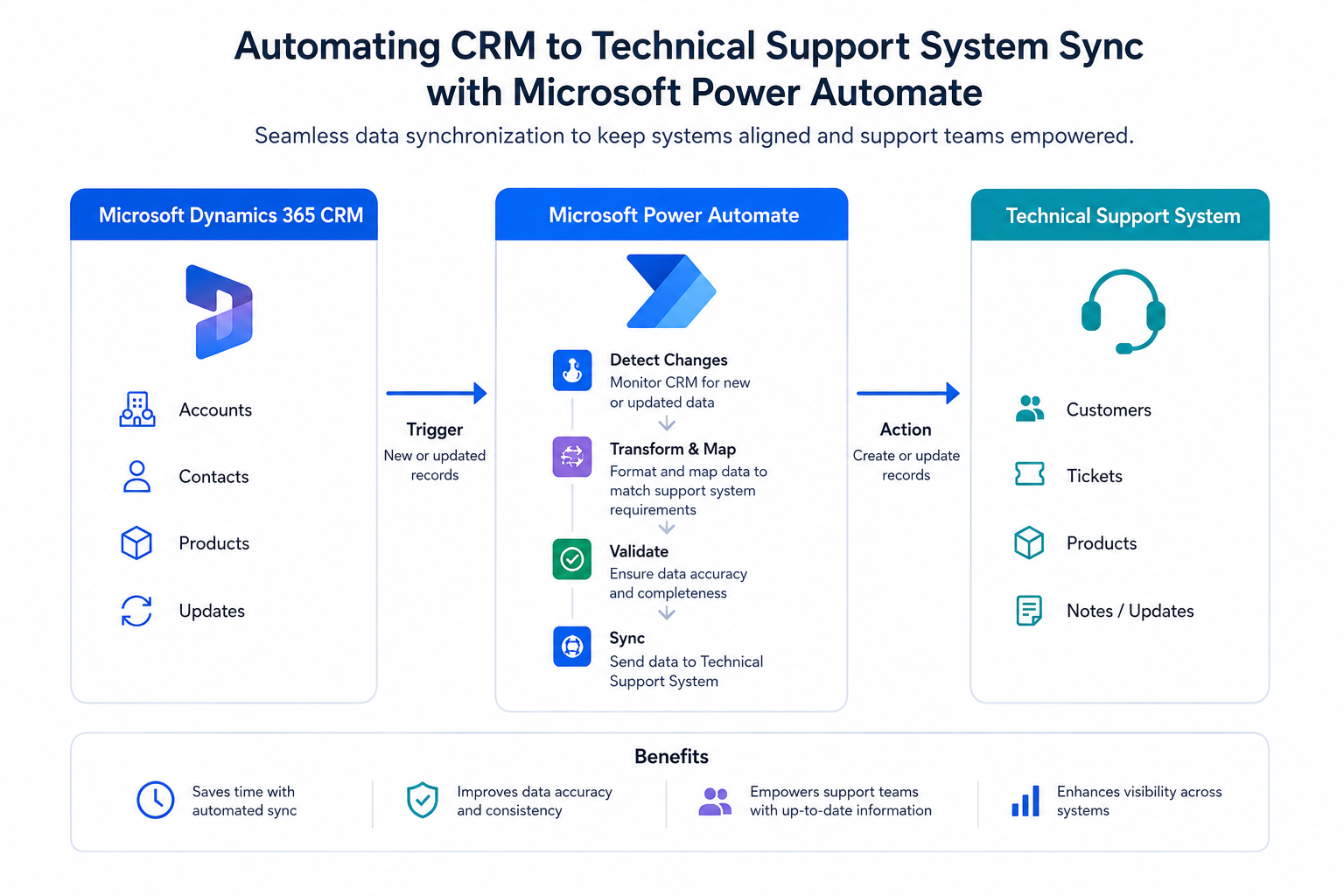
For this I automated CRM updates into the support system using Power Automate, ensuring the support desk always had the latest customer information without manual copy and paste work.
The original workflow was run on a trigger of changes to a table within the Dynamics 365 CRM system. Whenever a change was detected it would pass this information onto the support system.
Once this had been implemented, the team could focus on higher-value tasks rather than routine data entry. After enough updates, it became clear that there would be less need for the workflow to constantly be looking for updates in the CRM table. Thus i changed the trigger to a set schedule. Every Sunday it would pull the latest set of data and then update the support system with those changes, so that the Support Team had the latest information on hand when they started the week.
By creating this workflow, the solution reduced data entry errors and allowed the team to rely on a single source of truth.
Project focus
- CRM-to-support synchronization
- Automated error handling
- Data accuracy improvements
Tools used
- Microsoft Power Automate
- SharePoint / CRM connectors
- Notifications and retries